
5 Ways to reduce the weight and loading time of your e-mails
The size of our emails significantly influences the ability of our message to reach the inbox and impact our user. In this article we give you some ideas on how to optimise the size of your emails to optimise both deliverability and user experience.
- Write clean code. You will avoid duplicate attributes, unnecessary tables, etc. This will also speed up the email creation process, since it makes it easier to find possible errors as well as to reuse code in similar structures in different emails.
- Remove comments in the shipping version. We often use comments in the production phase to help the development and collaboration of several developers on the same HTML. These comments have no function in the submission and should therefore be removed from the final submission file.
- Minimise HTML. A trick that will reduce the weight of our email is to remove all the spaces and tabs that we use in the development phase to facilitate the visualisation of the code. When sending, indentation and spaces are useless, so it is a good practice to remove them to save this weight. There are tools to remove all the excess and reduce the HTML to only what is necessary. For example, this one: HTML Minifier
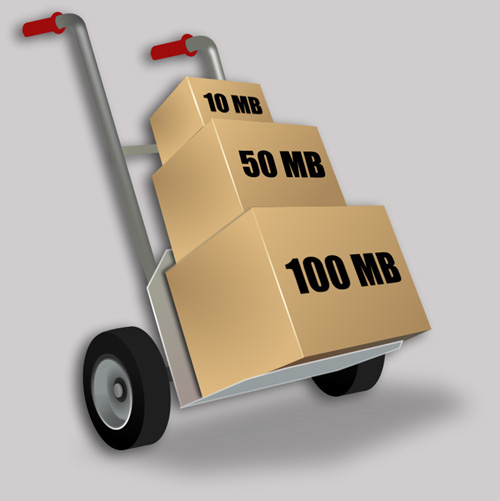
- Optimise images. One of the keys to the fast loading of an email is the weight of the images. Optimise their weight as much as possible, adjusting them to the necessary size and compressing them as much as possible without losing too much quality for the human eye.
This is more difficult for GIFs. We need to reduce the number of frames and colours as much as possible to achieve a minimum quality at a reasonable weight. At Digital Response we try never to send images that weigh more than 130kb. This is because loading times have a significant impact on the user experience. - Keep an eye on the image/text ratio. The previous point was more about user experience than deliverability. In this case, the opposite is true, it is deliverability that can be compromised if our text/image ratio is not adequate. If you use too many images, your email may be classified as SPAM and it will also negatively affect the experience of the user who opens your email without images.
To conclude this article, some references to what is considered appropriate for the weight of an email. In the industry, it is recommended not to exceed 50kb in the images (this is difficult according to some branding requirements, especially in the case of animated GIFs) and that the HTML file of the email is no larger than 100kb. You can follow this link for more information on the Email on Acid blog.
